This is a step-by-step guide to help you through the Solution Challenge registration. Find the official campaign link in Step 4 below.
Registration Ends on
Wed, Apr 15, 2026 9:02 PM (IST)
10 minutes setup only.
Registering for the Solution Challenge 2026 requires a few essential pre-requisites.
To make your journey smoother, GDG On Campus PRMIT&R has designed this guide to walk you through the setup process step-by-step.
Follow the instructions below.
H2S Account
To participate in the Solution Challenge 2026, sign up or log in to the Hack2Skill platform. Use the button below to access your account.
Hack2Skill AccountGDP Public Profile
- Sign in or create your Google Developer Account
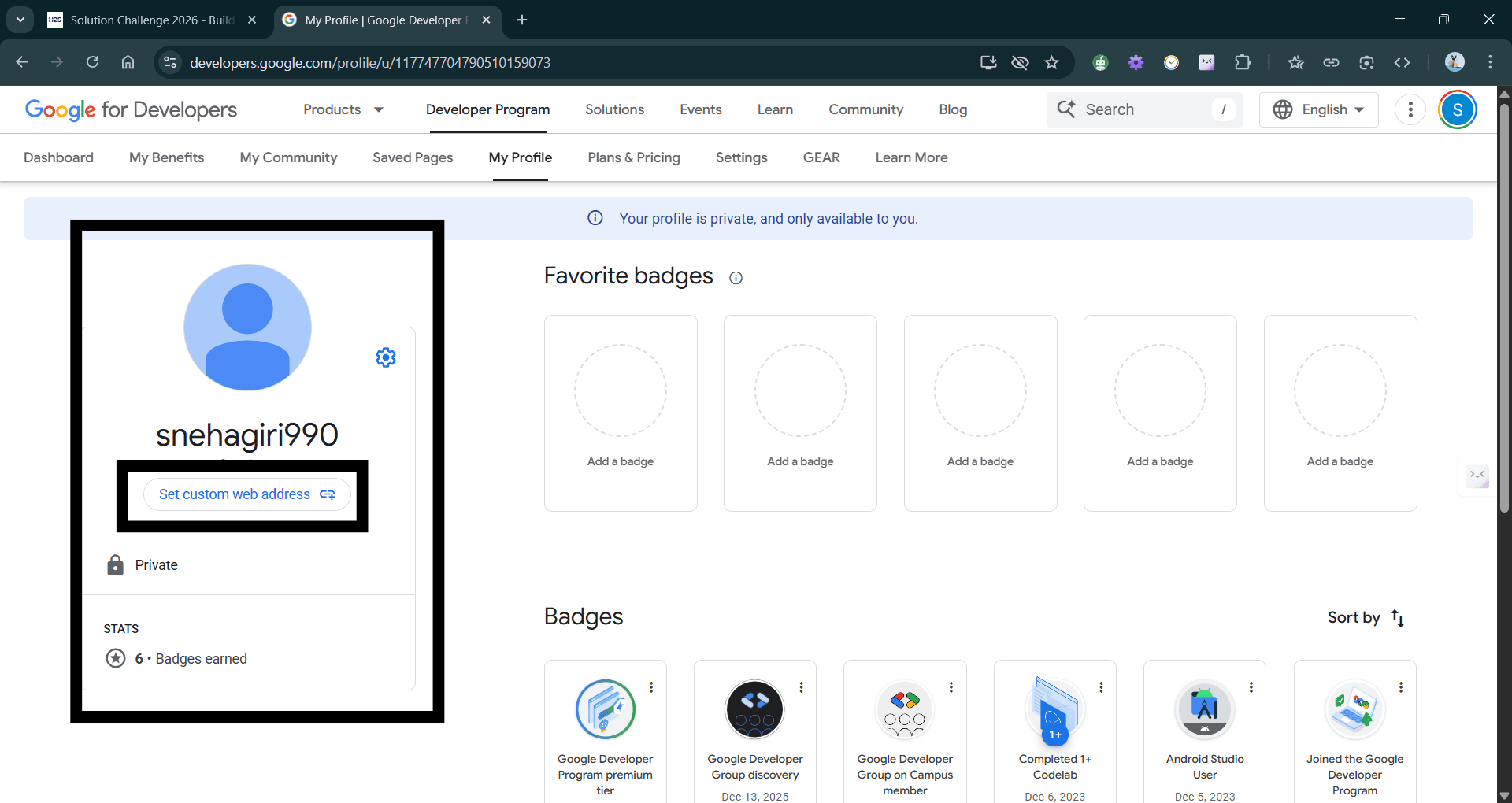
- Navigate to My Profile tab, or click the following link button.
- Click on Set a custom web address as shown in the screenshot.
(You'll be redirected to the Accounts tab in GDP Profile Settings.)
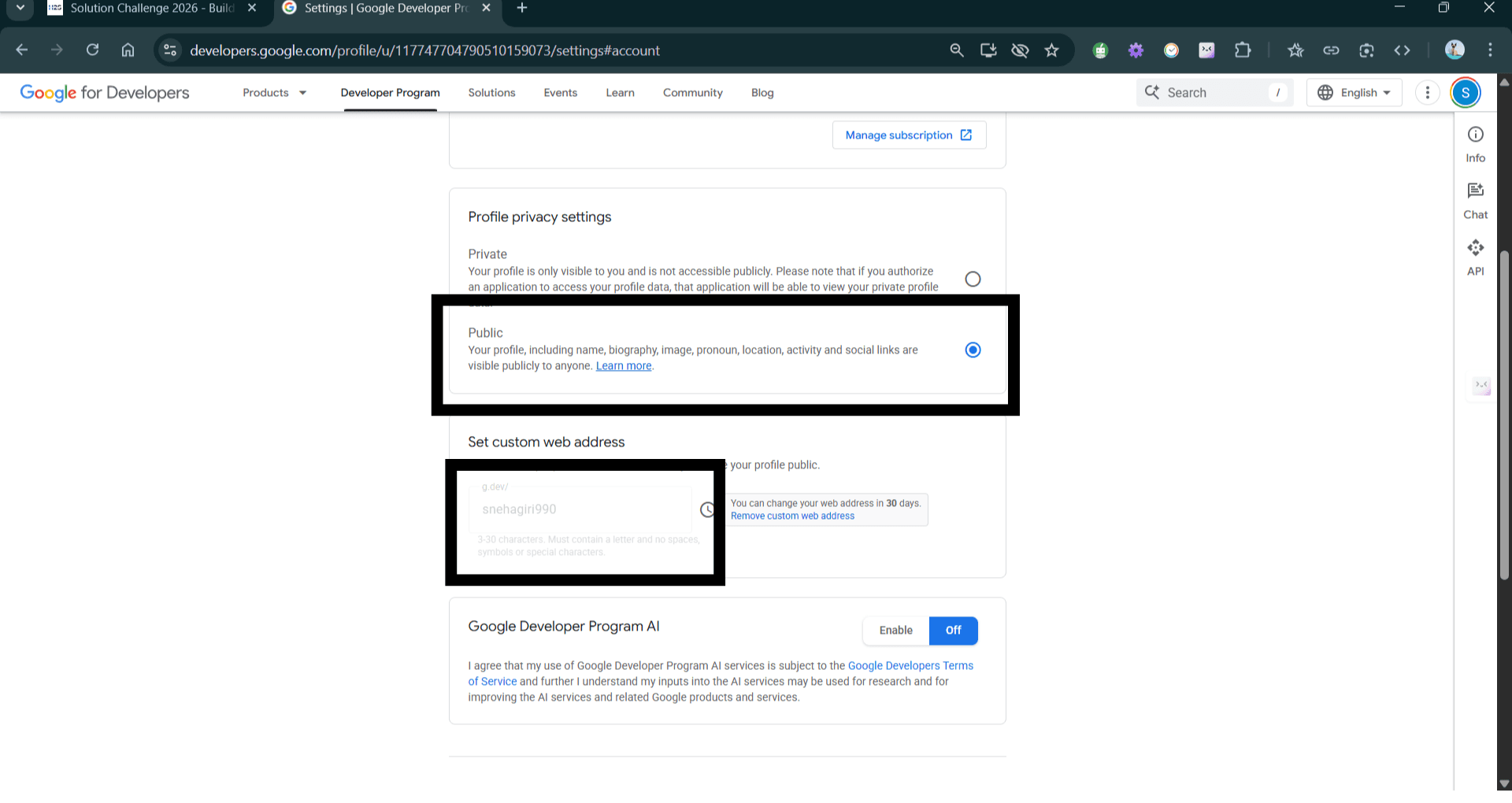
- Under Accounts tab:
- Change profile privacy settings to Public
- Enter a custom web address.
Referral Code
Use this referral code during registration so our team can provide direct support and guidance throughout your journey.
Use it on the next step.
Actual Registration Process
- Visit the official Solution Challenge page to begin the registration process.
- Click on Register Now on the top right or center of the page.
- Fill in your personal and academic details:
Personal Info
- Full Name
- Email Address
- WhatsApp Number
- Alternate Number
- Date of Birth
- Gender
Location
- Country
- State
- City
Academic
- Occupation (College Student)
- College Name
- Degree
- Stream / Specialization
- Passout Year
Profiles & Verification
- LinkedIn Profile URL
- College ID Card (Image/PDF)
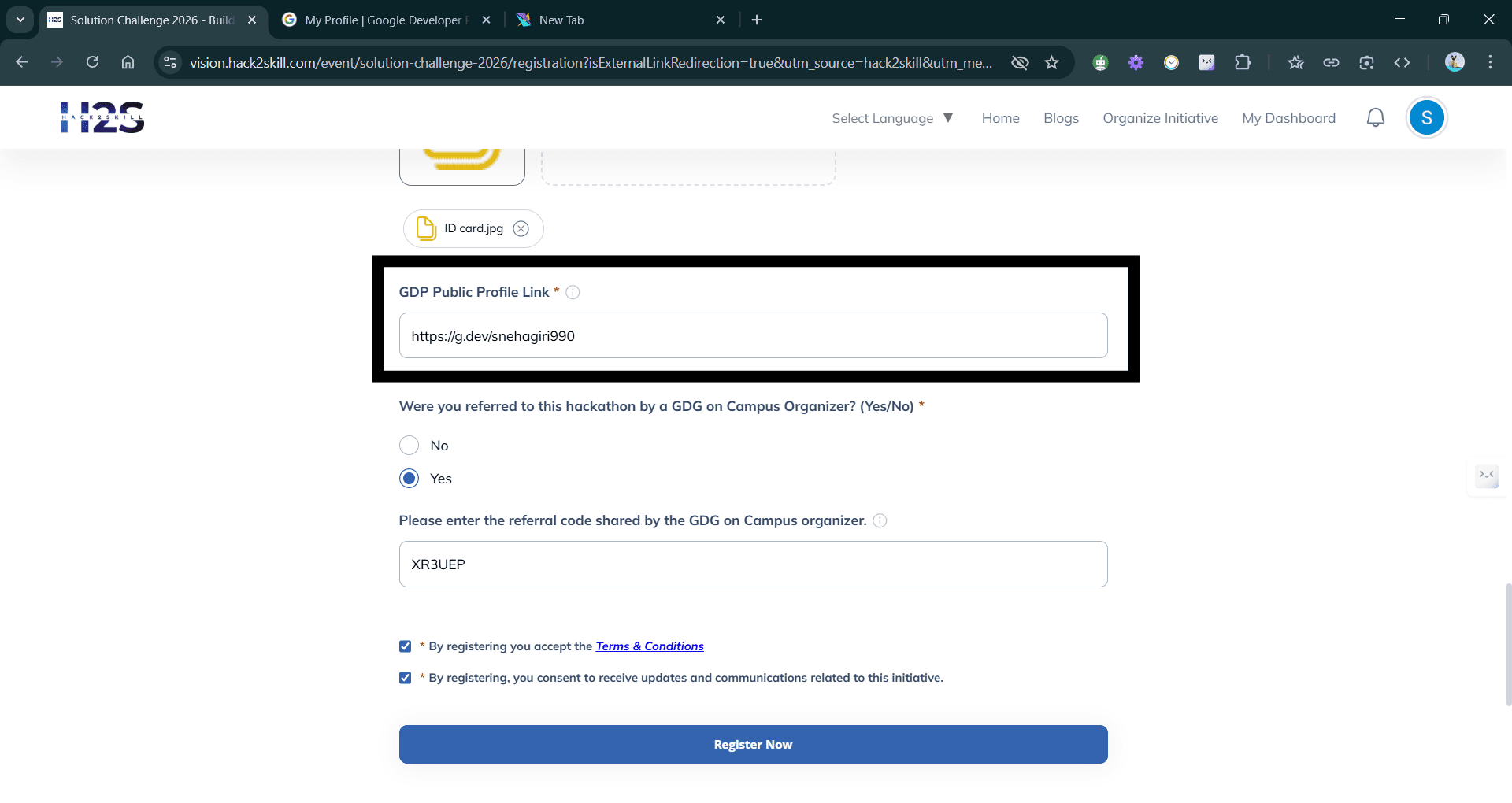
- Paste the GDP custom web address (for example, g.dev/yourname) that you created earlier.
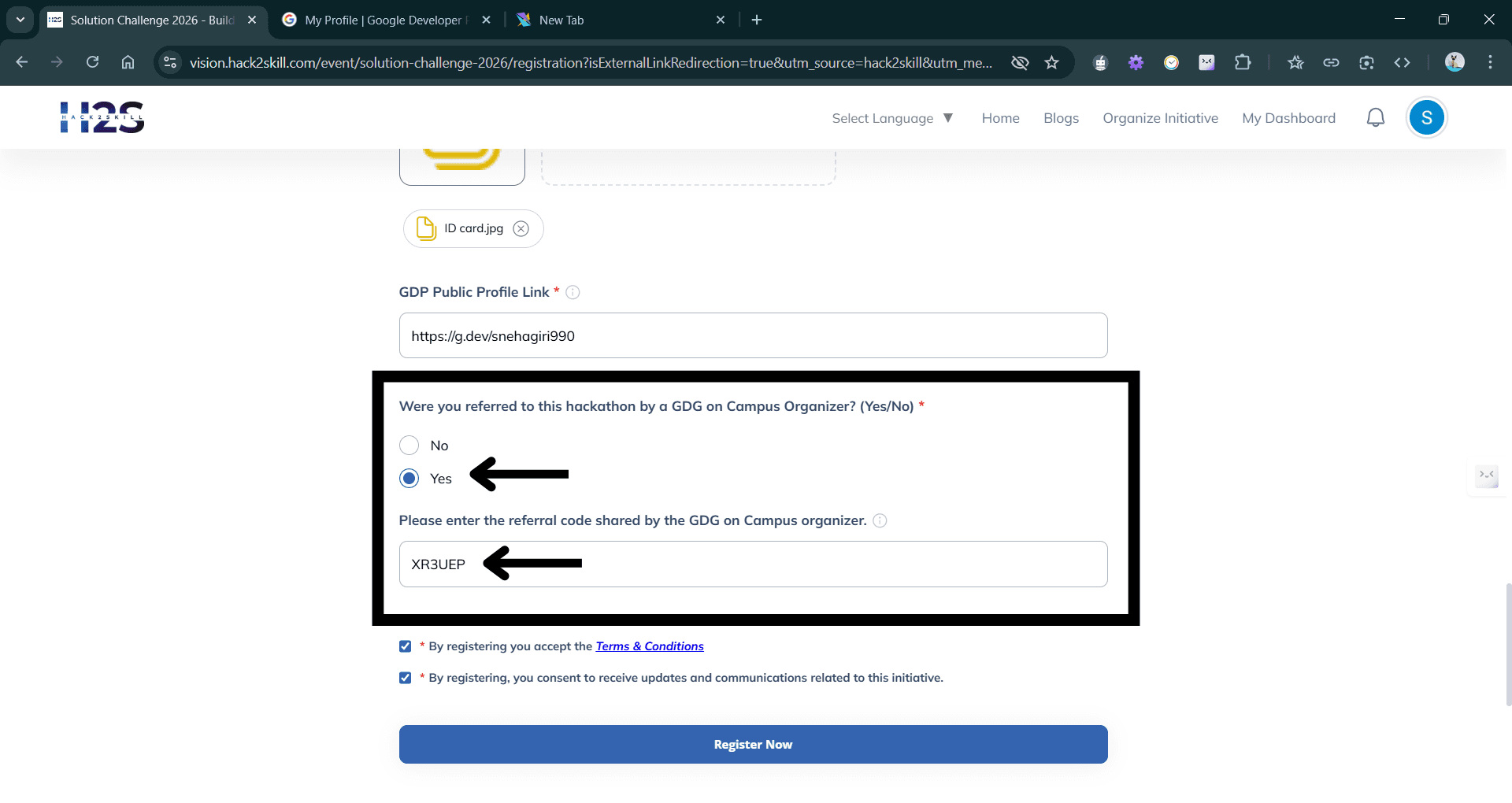
- Under the referral section:
- Mark Were you referred to this hackathon by a GDG on Campus Organizer? as Yes.
- Paste the referral code.
Team Formation
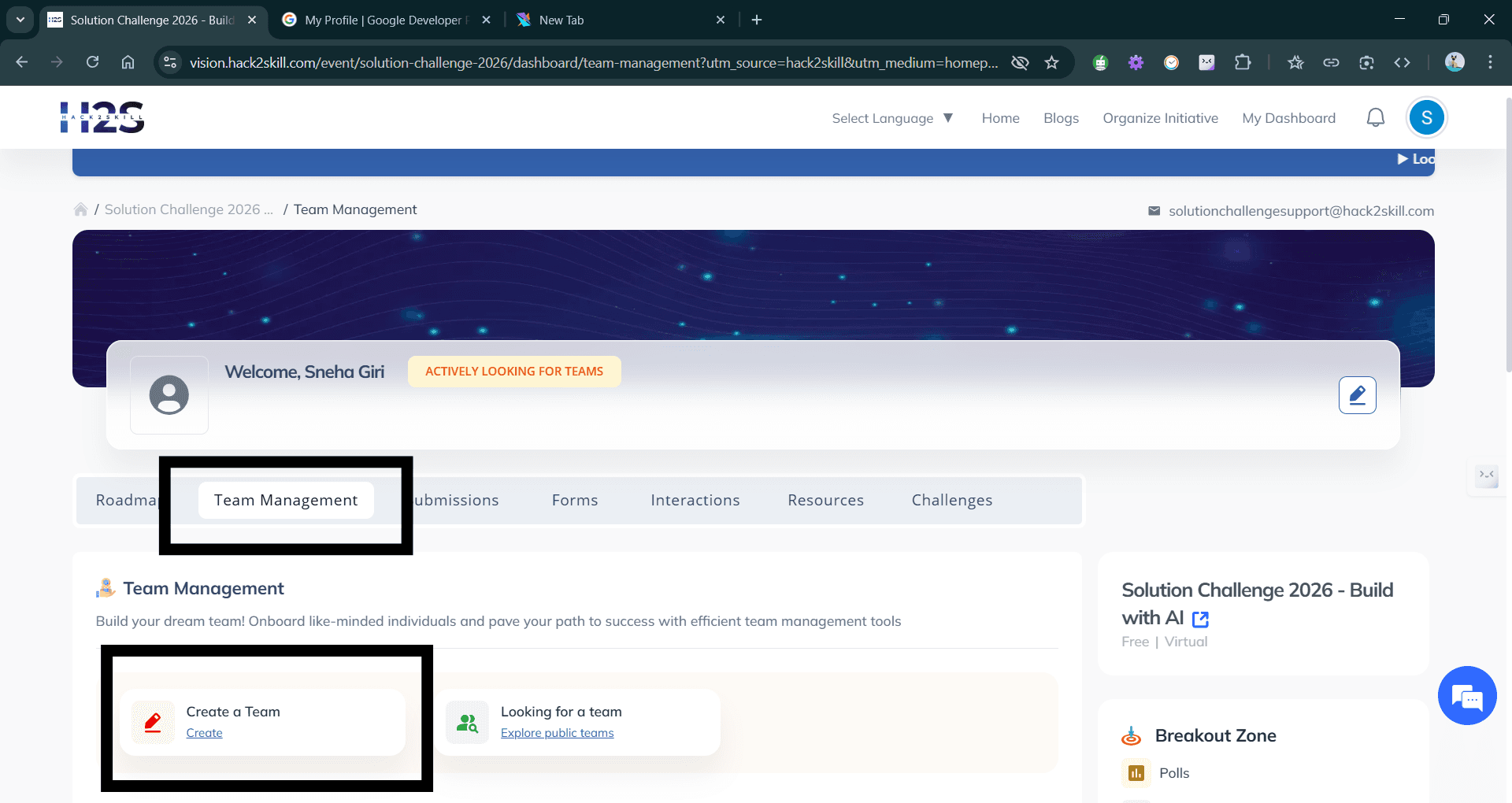
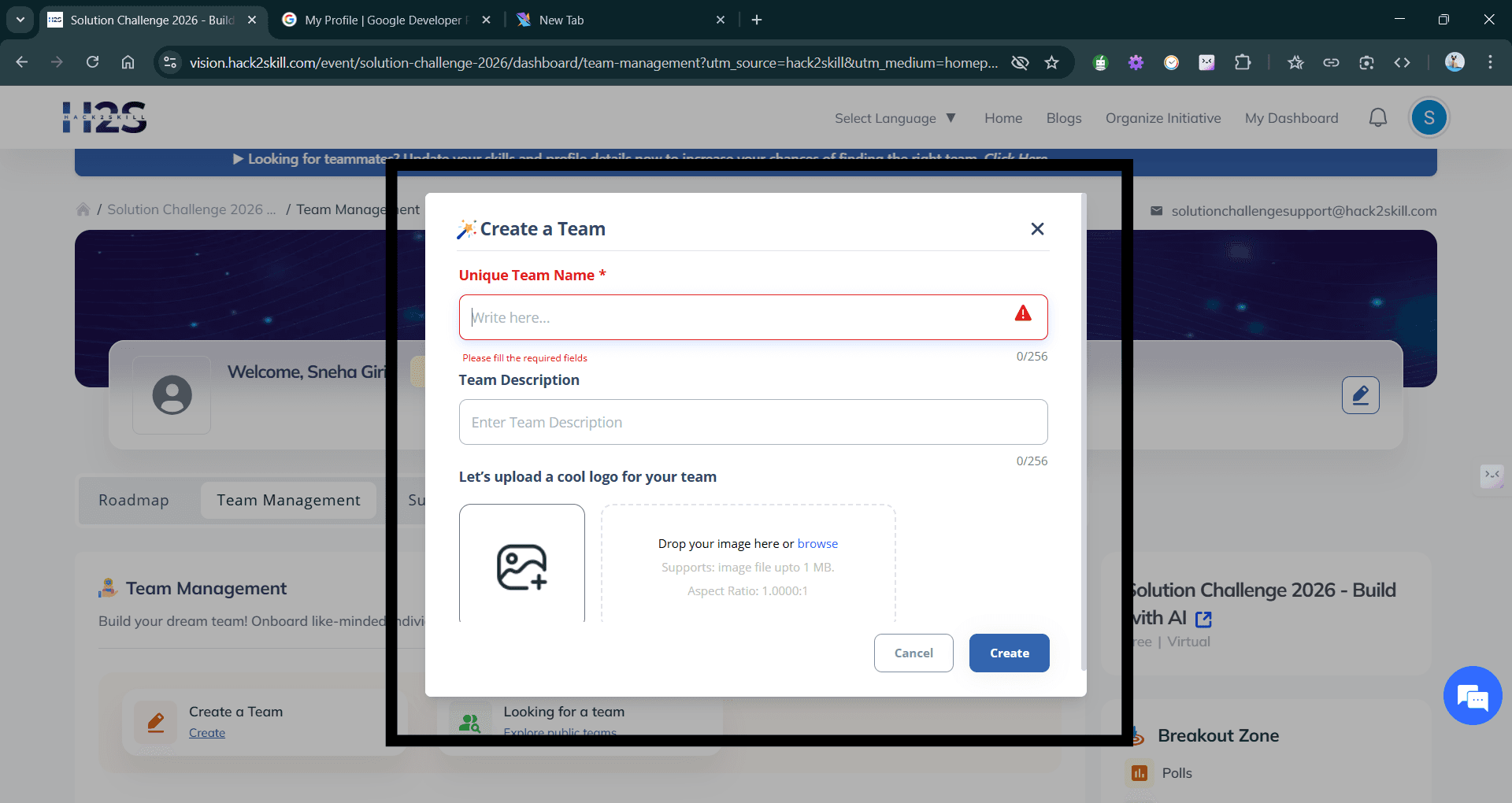
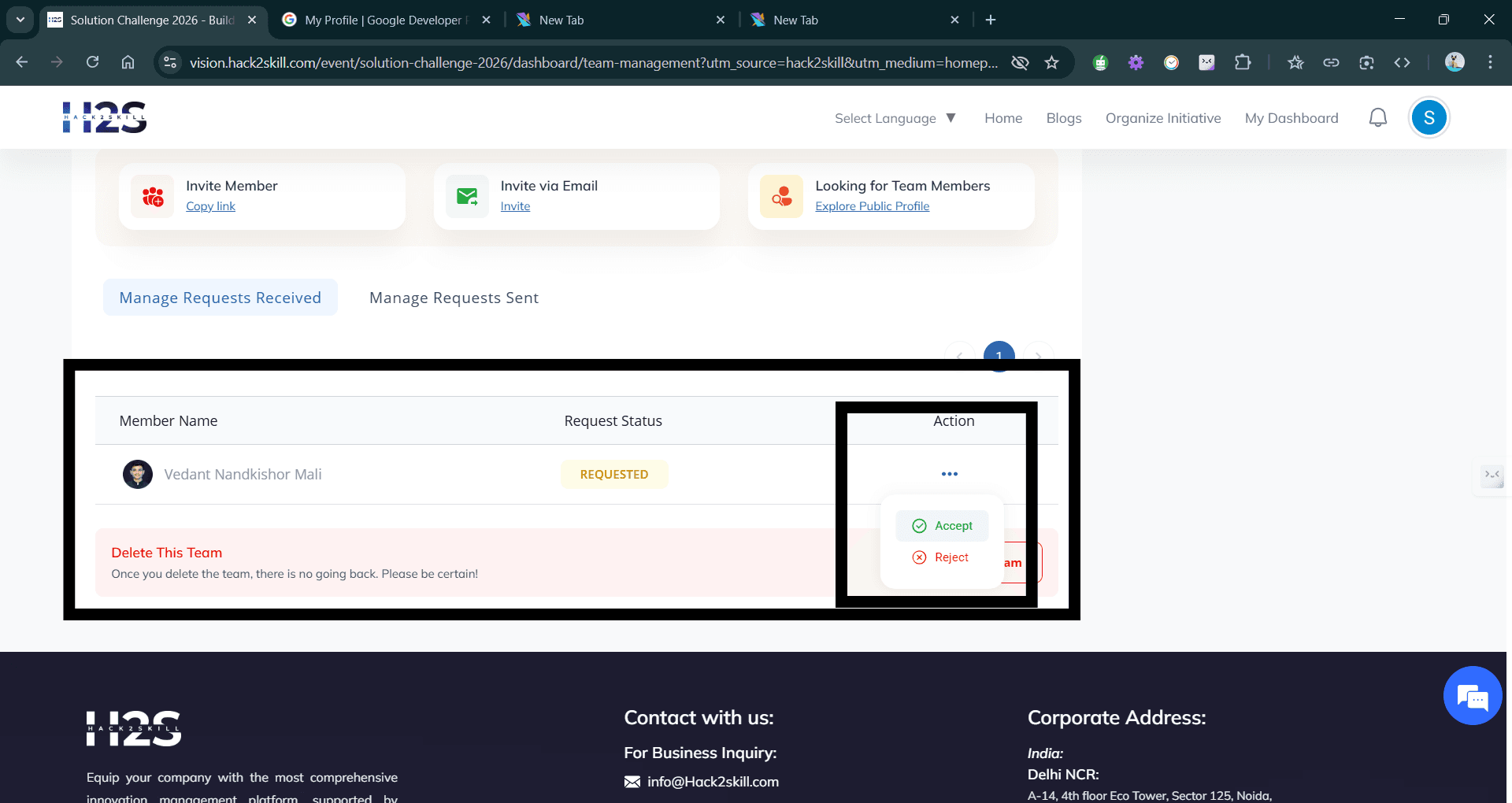
As you are now registered, you are required to form a team.
You may have a team of 1 to 4 participants, but need a team created even for a single participant too.
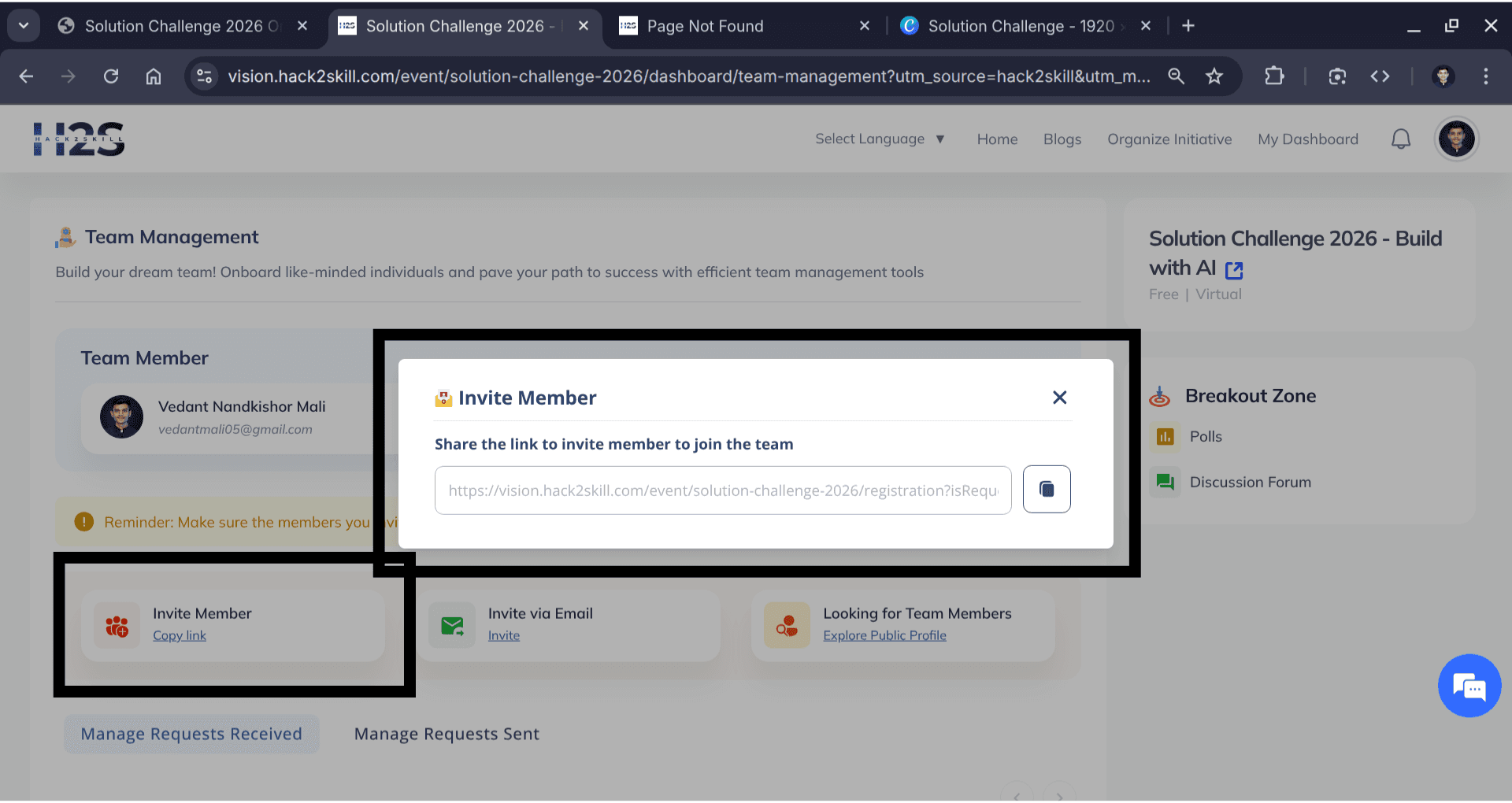
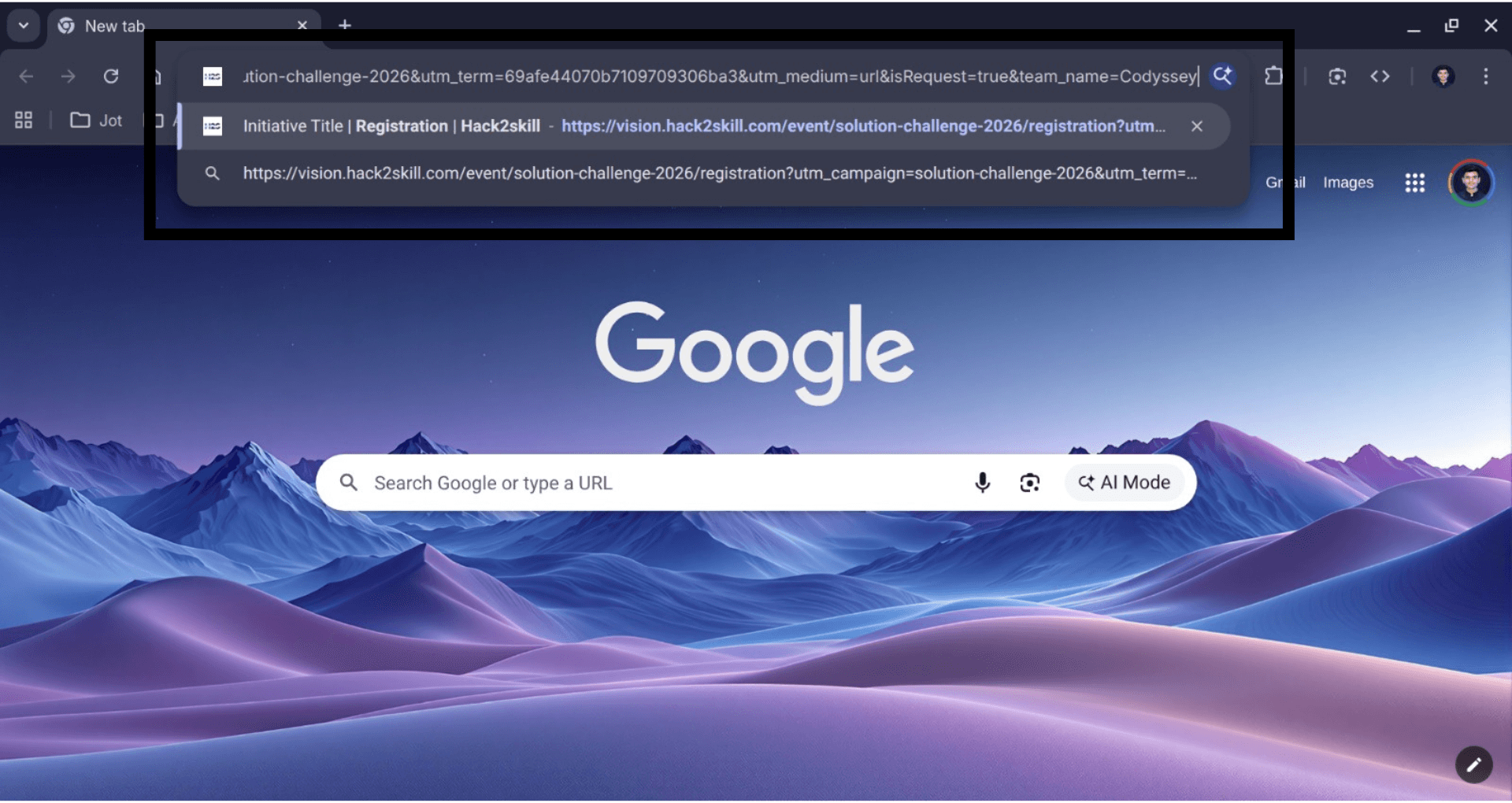
Open DashboardFollow the steps below to manage your squad.


Good Luck!

